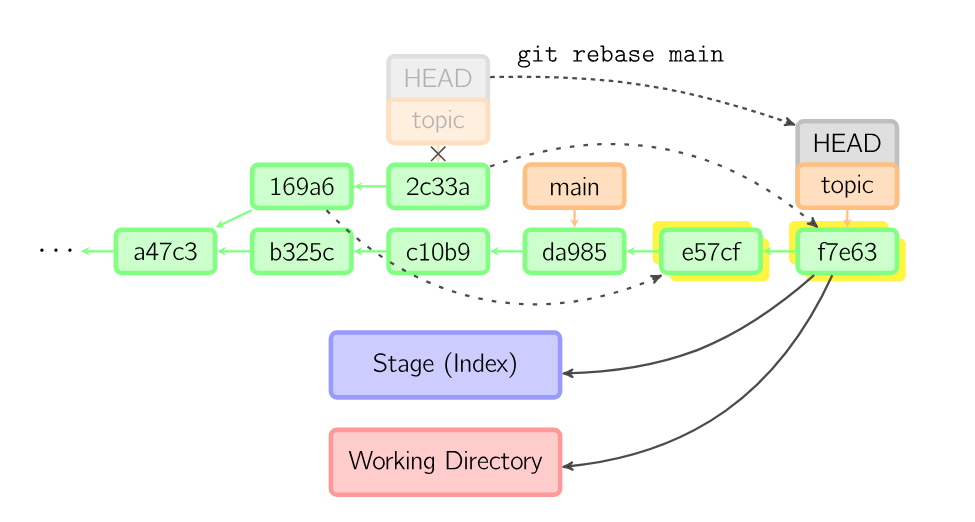
Rebasing is the one way of combining divergent branches (the other being
Merging). It attempts to sequentially apply every commit from the checked out
branch to the other branch. This is distinct from merging because multiple commits are created.
After a rebase, the head of the checked out branch points to the newest commit, and the head of the
other branch (usually main) is in the same place. A simple
fast-forward merge can then be done to get main up to
topic.
Rebase diagram from visual git guide . Every commit that is in “topic” and not in “main” is recreated at the end of main.
It's important to note that there is no difference between the end result (as long as you deal with merge conflicts in the same way). The difference is that the history of the rebased branch looks cleaner and like it happened in series. This is often done when you're trying to make sure your local commits apply cleanly to a remote branch, for example when contributing to someone else's project. This means the maintainer doesn't have to deal with merging the patches - they can just do a fast-forward.
git rebase --ontoThis command allows you to do some strange rebasing. Suppose you have a situation like the image below, and you want to merge the client branch into master before merging server. The --onto flag helps here.
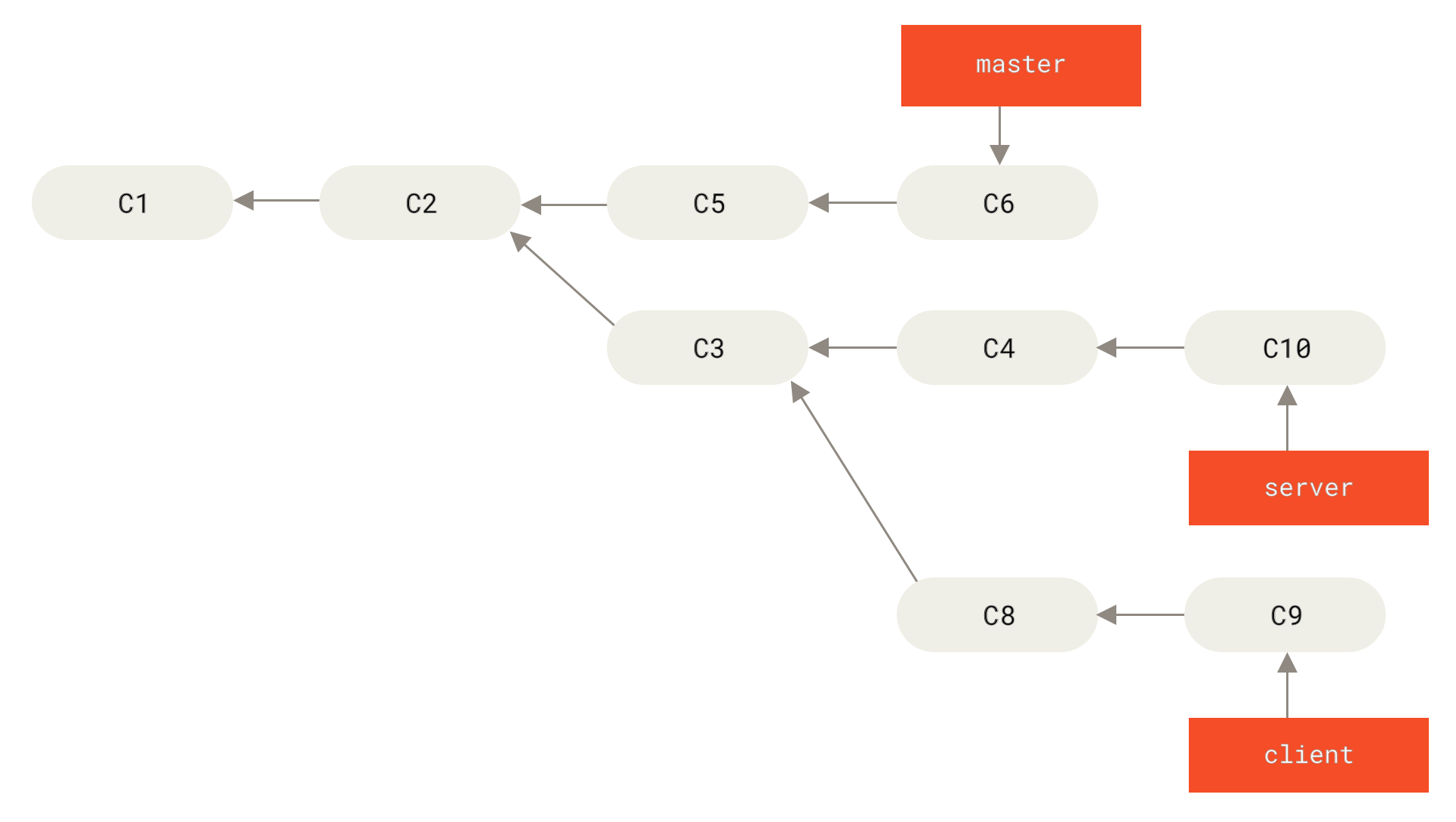
git rebase --onto master server client turns the figure above into the figure below.
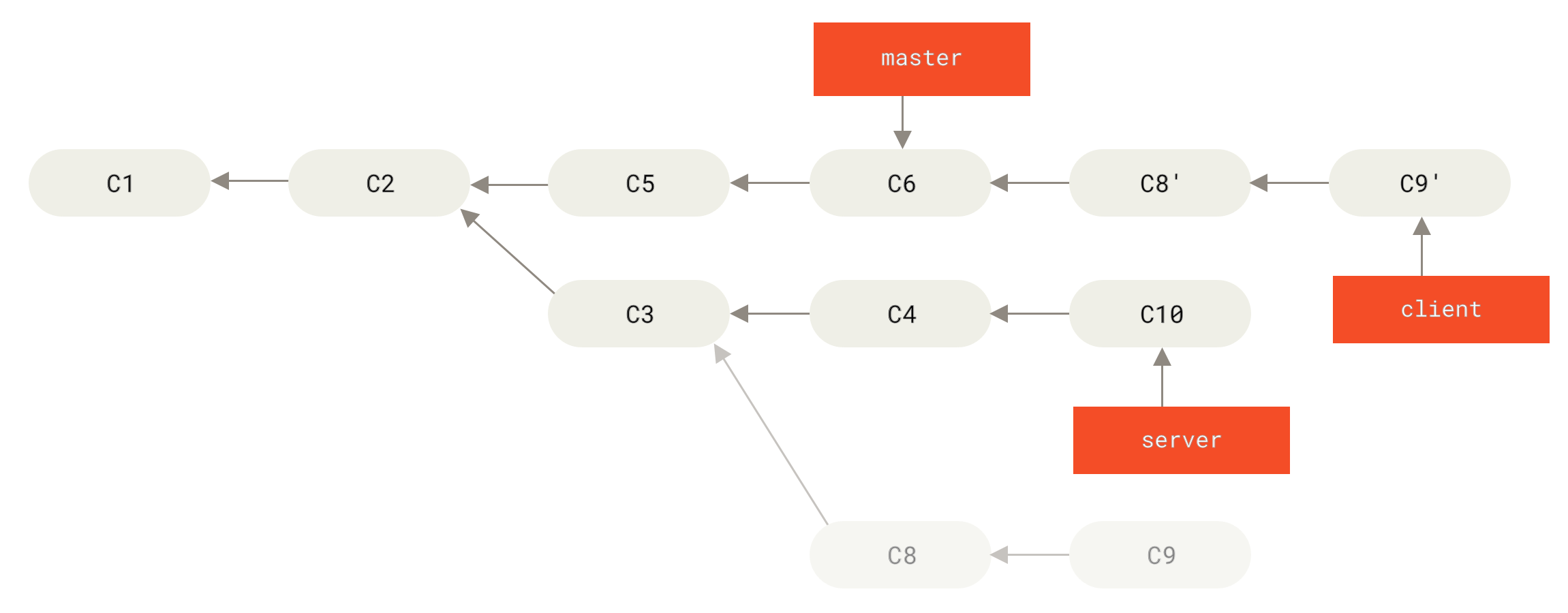
In English, this is equivalent to “Take the client branch, figure out some patches since it has diverged from server, then make it look like client was based directly off of master.”
I got confused at this part.
git rebase <base-branch> <topic-branch> checks out <topic-branch>, replays it onto <base-branch>, and moves the <topic-branch> pointer to the end of that rebase. <base-branch> is unaffected.<topic-branch>, git rebase <base-branch> is equivalent to the above.